Registration on Bridges
Registration on Bridges is completed in 5 guided steps. Each step collects information that allows the platform to offer personalized opportunities.
Estimated time
Plan about 5 to 10 minutes to complete your registration.
Before you start
Prepare the following information:
-
Your phone number or email address
-
Your date of birth
-
Your current city of residence
-
An idea of your skills and work experience
Step 1 of 5 — General information
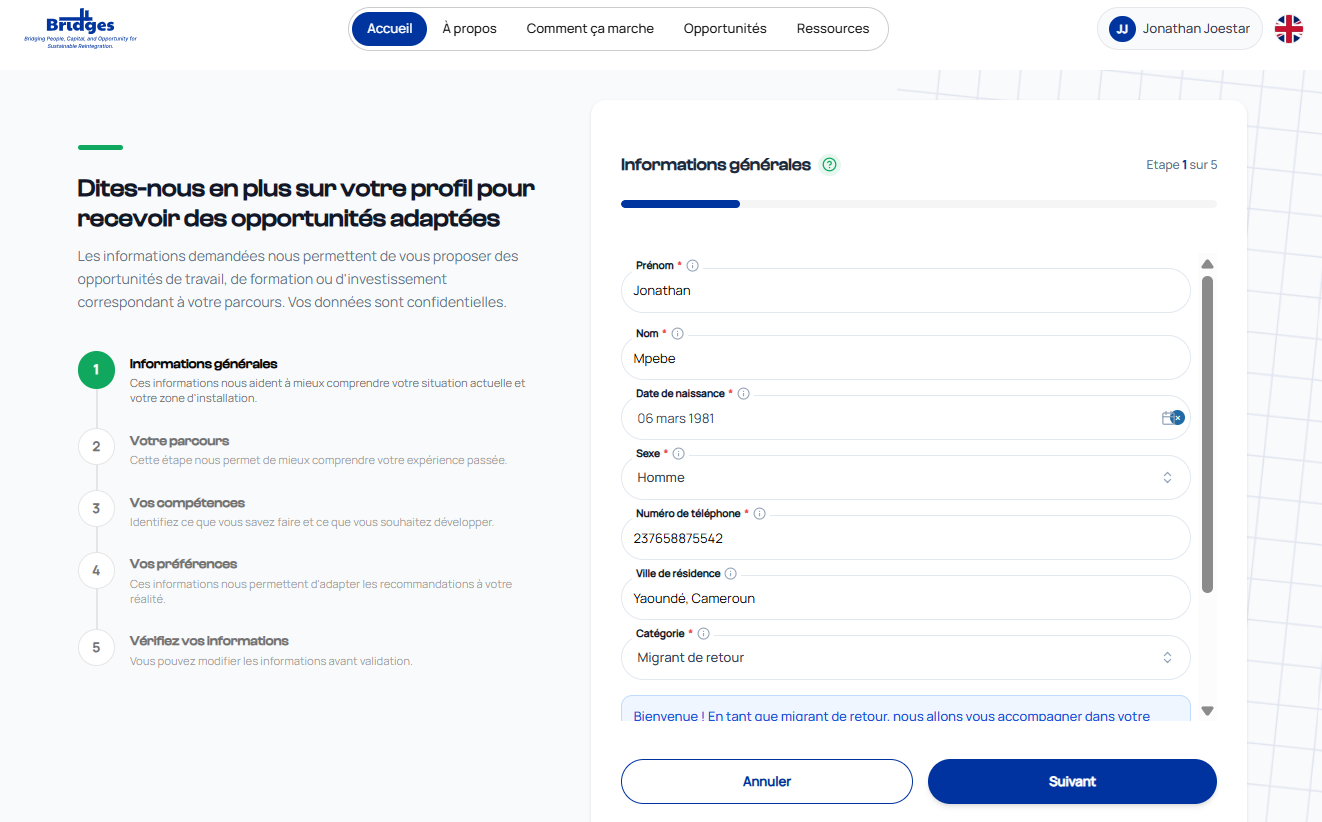
General information form — Step 1 of 5
This first step collects your basic personal information.
Fields to complete:
| Field | Required | Description |
|---|---|---|
| First name | Yes | Your first name as shown on official documents |
| Last name | Yes | Your family name |
| Date of birth | Yes | Format DD/MM/YYYY |
| Gender | Yes | Select from the list |
| Phone number | Yes | International format, e.g. +237655378864 |
| City of residence | No | Example: Douala, Yaoundé |
| Category | Yes | Your situation (returning migrant, IDP, diaspora, etc.) |
| Marital status | Yes | Select from the list |
Advice
Fields marked with a red \* are required. You can hover over the ℹ icon next to each field for an explanation.
Click Next to continue to step 2.
Step 2 of 5 — Your journey
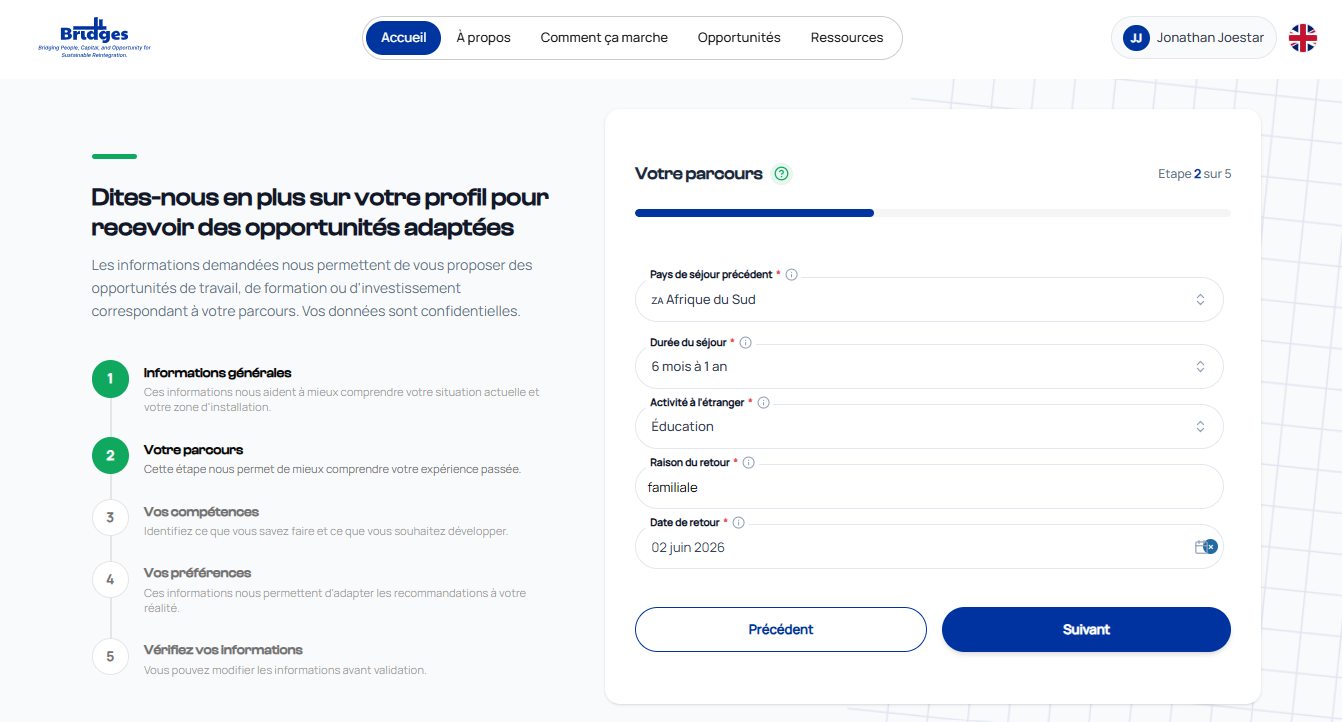
Screenshot of step 2 — Migration journey
This step helps Bridges better understand your past experience and migration path.
Information collected:
-
Country/region of origin
-
Duration of absence or displacement
-
Reason for return or displacement
-
Previous work experience (sectors, positions)
Click Next to continue to step 3.
Step 3 of 5 — Your skills
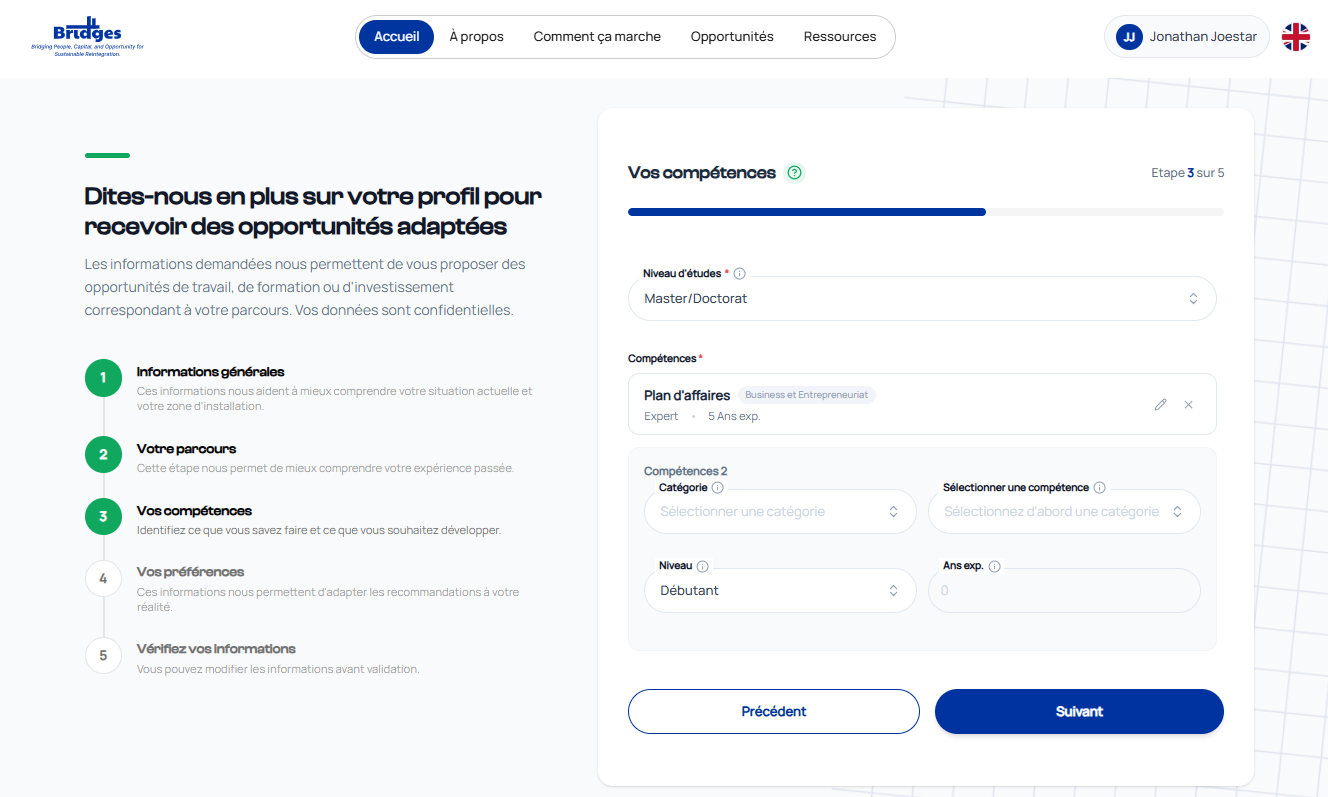
Screenshot of step 3 — Skills inventory
Identify what you know and what you want to develop.
Information collected:
-
Technical skills (e.g. agriculture, IT, commerce, crafts)
-
Education level
-
Languages spoken
-
Skills you want to develop
Advice
Be precise about your skills — the more detailed your profile, the better the recommendations.
Click Next to continue to step 4.
Step 4 of 5 — Your preferences
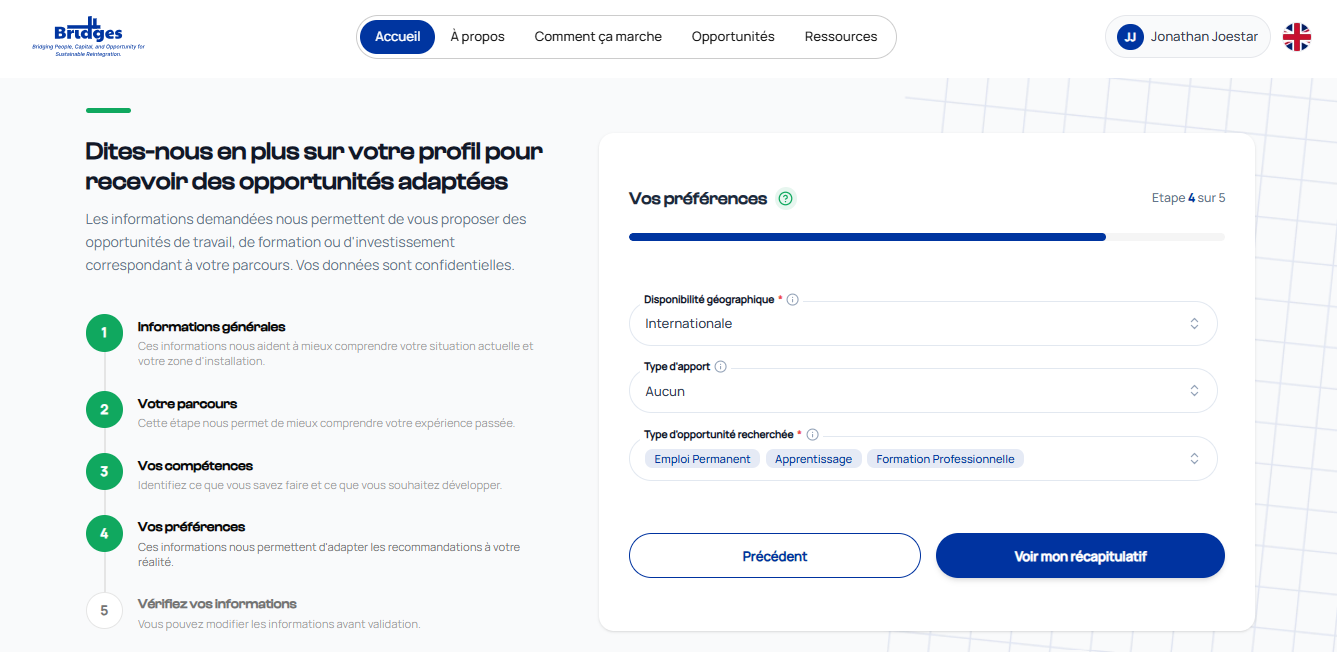
Screenshot of step 4 — Preferences and availability
This information helps tailor recommendations to your reality and objectives.
Information collected:
-
Type of opportunities sought (paid employment, training, entrepreneurship)
-
Preferred sector
-
Desired geographical area (region, division, city)
-
Availability (full-time, part-time, remote)
Click Next to continue to step 5.
Step 5 of 5 — Review your information
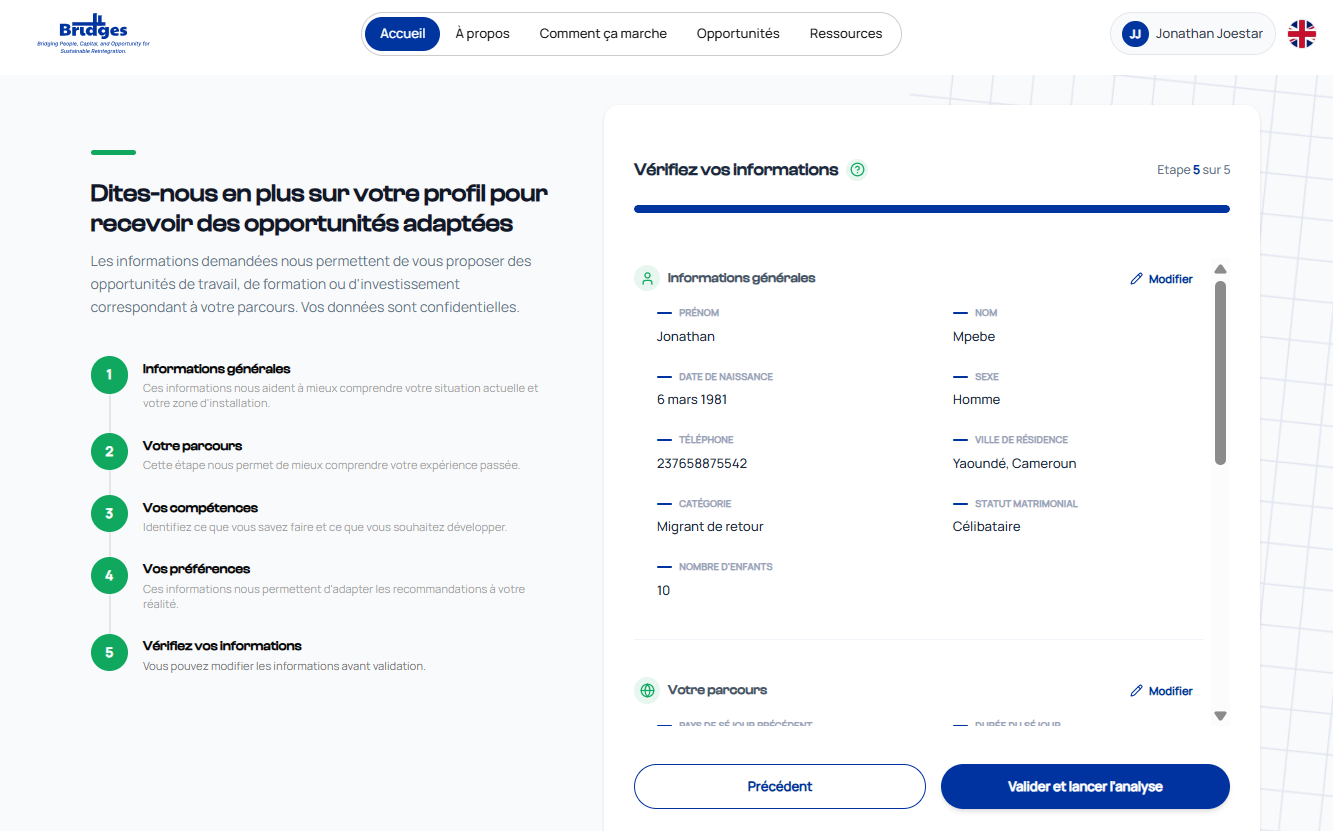
Screenshot of step 5 — Review and submit
This final step lets you review and correct all your information before confirming your profile.
To do:
-
Review each section displayed in the summary
-
Click Edit on any section to correct it
-
Check the box to accept the IOM terms of use
-
Click Submit to finalize your registration
Registration complete!
Once submitted, your profile is created and you are redirected to your personalized dashboard with your first recommendations.
Common registration issues
| Issue | Solution |
|---|---|
| "The phone number is already in use" | An account already exists with this number — use login or reset your password |
| "Required field missing" | Check fields marked in red and complete them |
| Page does not load | Check your internet connection and refresh the page |
| You left before finishing | Log in again — your progress may be saved depending on the step |